Free Trials
PortaAIM supports free trials that automatically convert to paid plans when they expire. Trials include fair usage limits to prevent abuse, and the trial duration is set per customer at activation time.
How Trials Work
The trial system uses a two-product model:
- A trial product — zero subscription fee, with fair usage limits on services
- A production product — the paid plan the customer converts to after the trial
When a trial expires, the billing engine automatically:
- Switches the customer from the trial to the paid plan
- Starts billing subscription fees
- Generates the first invoice
This happens atomically during the billing run — no manual intervention needed.
Fair Usage Limits
Every trial includes fair usage limits to prevent abuse while giving customers enough room to evaluate your service. These limits can be:
- The same as the paid plan — customers get the full experience, just time-limited
- Lower than the paid plan — restricted usage to control costs during evaluation
Example:
| Service | Paid Plan Quota | Trial Limit |
|---|---|---|
| LLM Tokens | 500M tokens/month | 50M tokens/month |
| Image Generation | Pay-as-you-go (no cap) | 100 images/month |
| Cloud Storage | 100 GB | 5 GB |
When a trial customer hits their fair usage limit, further usage is blocked until the trial converts to the paid plan (or they can be upgraded early).
A service you leave with no trial limit when you set the trial up is excluded from it entirely. Trial customers are refused when they try to use it, and no usage is recorded. Their requests come back with the error code service_not_available. Use this for anything expensive enough that you would rather not give any of it away, and set a limit instead whenever you want customers to be able to try it.
Removing a service from the plan takes it out of the trial too. The editor tells you before it saves, and if it was the only service the trial offered, saving turns the trial off. Customers already on a trial keep it until it ends.
Set trial limits high enough that customers can meaningfully evaluate your service, but low enough to prevent someone from abusing the trial to avoid paying. A good rule of thumb: set trial limits at 10–20% of the paid plan's quotas.
A trial is always attached to an existing plan — it never stands on its own in the catalog. On the plan card, the trial is represented by a Free Trial button, which is highlighted when the plan already has a trial and muted when it doesn't. There is no separate "Free Trial – …" card.
A trial carries no trial of its own. If you open a trial directly, its Include a Free Trial Period control is greyed out: set the trial up on the paid plan it belongs to.
Creating a Trial
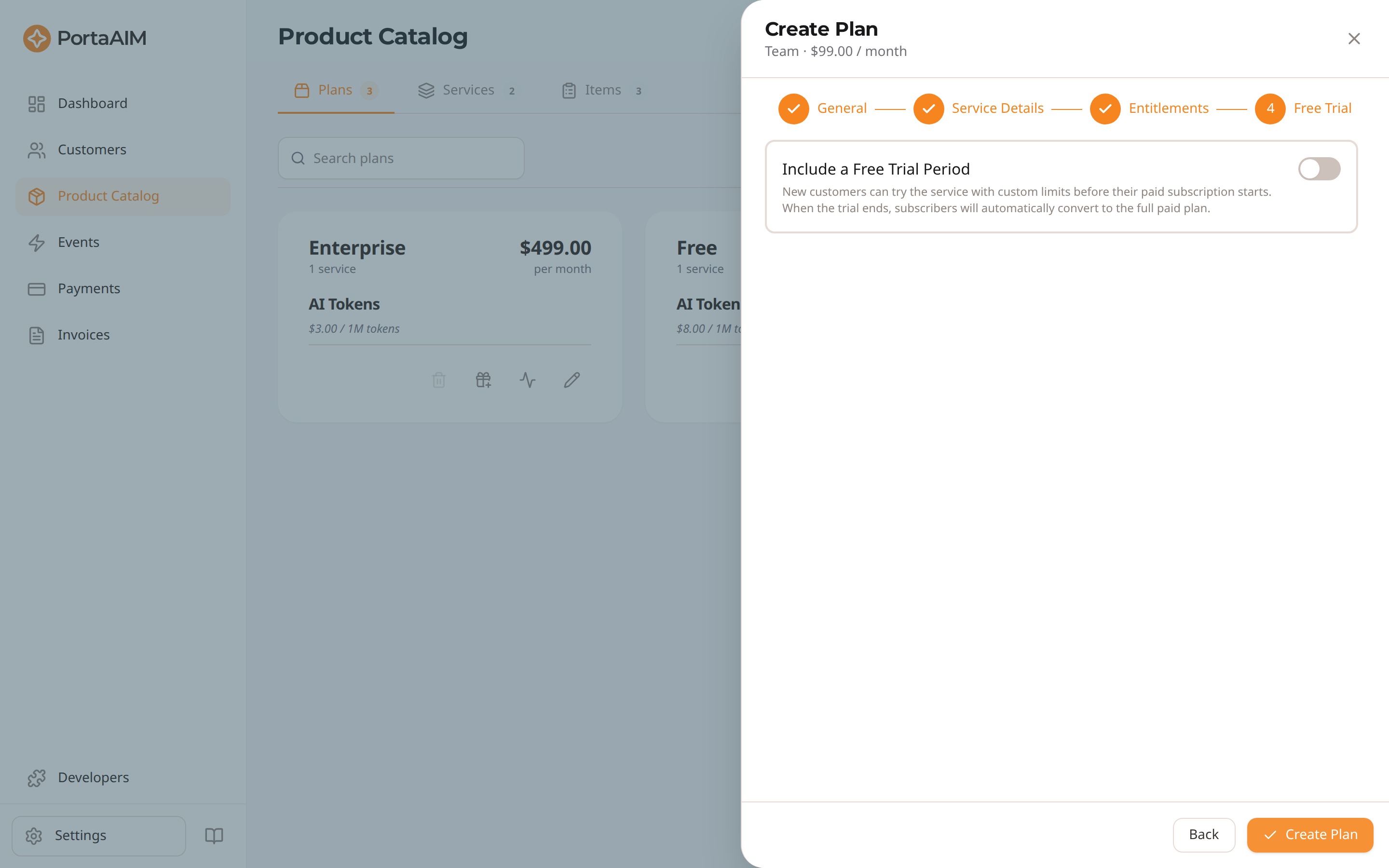
The Free Trial step — enable a trial period; expiring trials auto-convert to the paid plan.
There are two ways to add a trial to a plan:
- From the plan card — on Product Catalog → Plans, click the Free Trial button on the plan card. This opens the Set Up Free Trial panel.
- From the plan editor — open the plan and go to the Free Trial tab, then turn on Include a Free Trial Period.
Either way, configure:
- Default trial length (days) — optional. Pre-fills the trial duration on the customer activation form. You can still override it per customer. Leave it empty and a customer's trial has no end date unless you pick a length for them.
- Fair usage limits — per-service quotas for trial customers.
Save, and the plan card's Free Trial button becomes highlighted to show the plan now offers a trial.
Editing a Trial
- From the plan card — click the highlighted Free Trial button and choose Edit Trial, or
- From the plan editor — open the Free Trial tab and click Edit trial settings.
Adjust the limits or default duration, then save. The services a trial includes can be changed here too, which is also where a service the plan no longer sells is listed as Not in Plan until you clear it. Adding a service to a plan leaves its trial as it was: the plan editor says so under Included Services, and the service is offered here unselected, so you can give it to the trial in the same save.
Disabling a Trial
- From the plan editor — open the Free Trial tab and click Disable free trial, or
- From the plan card — click the highlighted Free Trial button and choose Delete Trial.
Existing trial customers will still convert at their scheduled end date. New customers can no longer be assigned to the trial.
Assigning Customers to Trials
When creating a customer, select the paid plan — trial variants don't appear in the plan list; they're linked automatically. Then use the Free trial field next to the plan to choose a duration. The trial duration is set per customer at activation time — different customers can have different trial lengths. If the plan has a default trial length configured, the Free trial field is pre-filled with it; you can override it for any individual customer. To put the customer straight onto the paid plan instead, choose None. If the field itself is greyed out, the selected plan has no trial variant (create one from the plan first).
- A key prospect might get a 30-day trial
- A self-service signup might get 14 days
- A partner evaluation might get 60 days
Pick Custom duration for a length that isn't one of the presets. A trial can run from 1 to 365 days — the same range as a plan's default trial length.
When the trial has no default length, pick No end date to keep the customer on the trial,
unbilled, until you end it yourself with Change Plan → End Free Trial. The same happens
through the API when you ask for a trial without trial_days and the trial has no default length.
The customer will:
- Have access to services within the trial's fair usage limits
- See a trial end date on their account, unless the trial has no end date
- Automatically convert to the paid plan when the trial expires, or when you end a trial that has no end date
Where Trials Appear
- Catalog — a plan that offers a trial shows a highlighted Free Trial button on its card (the trial is not listed as a separate plan).
- Customer list — customers currently on a trial show an In Trial badge under the plan name on their row. Hover it for the end date and what happens next.
- Customer detail — the same badge sits under the plan name, with the trial end date beside it.
Both rows and cards name the paid plan the customer converts to, not the trial, so the badge is what tells you they are not paying for it yet.
Ending a Trial Early
You don't have to wait for the trial end date. Open the customer, choose Change Plan, and confirm — the button reads End Free Trial.
The customer converts at the next billing run, exactly as if their trial had reached its end date today: they move to the paid plan, their billing date resets to that day, and they're charged one full billing period. The trial days themselves are never charged.
Two things follow from this:
- The conversion isn't instant. Until the next billing run the customer still shows as on trial. Nothing further is needed from you.
- Ending a trial and changing plan are separate steps. Ending a trial always converts to the paid version of the plan being trialled, so that's the only option offered. To move the customer to a different plan, end the trial first, then change the plan once they've converted.
Trial variants aren't offered in the Change Plan list either, so a customer can't be moved onto a trial this way — trials start when a customer is created.
Trial Conversion Process
At the billing run after the trial end date:
Trial customer
  → Trial expires
  → Plan is switched: Trial Plan → Paid Plan
  → Billing date is reset to the trial end date
  → One full billing period is charged
  → First invoice is generated
  → Customer is now a regular paying customer
The trial period is never charged. Billing starts on the day the trial ends, and the first subscription fee covers one full billing period from that day — not a part-period, and never a back-charge for time spent on the trial. A 45-day trial and a 14-day trial produce the same first invoice: one billing period, starting the day the trial ended.
14 days is common for API products; 30 days for more complex integrations. Since the duration is set per customer, you can offer longer trials to high-value prospects without changing the plan itself.